


Dying Light: The Beast anniversary update: Windows checklist
Understanding patch notes
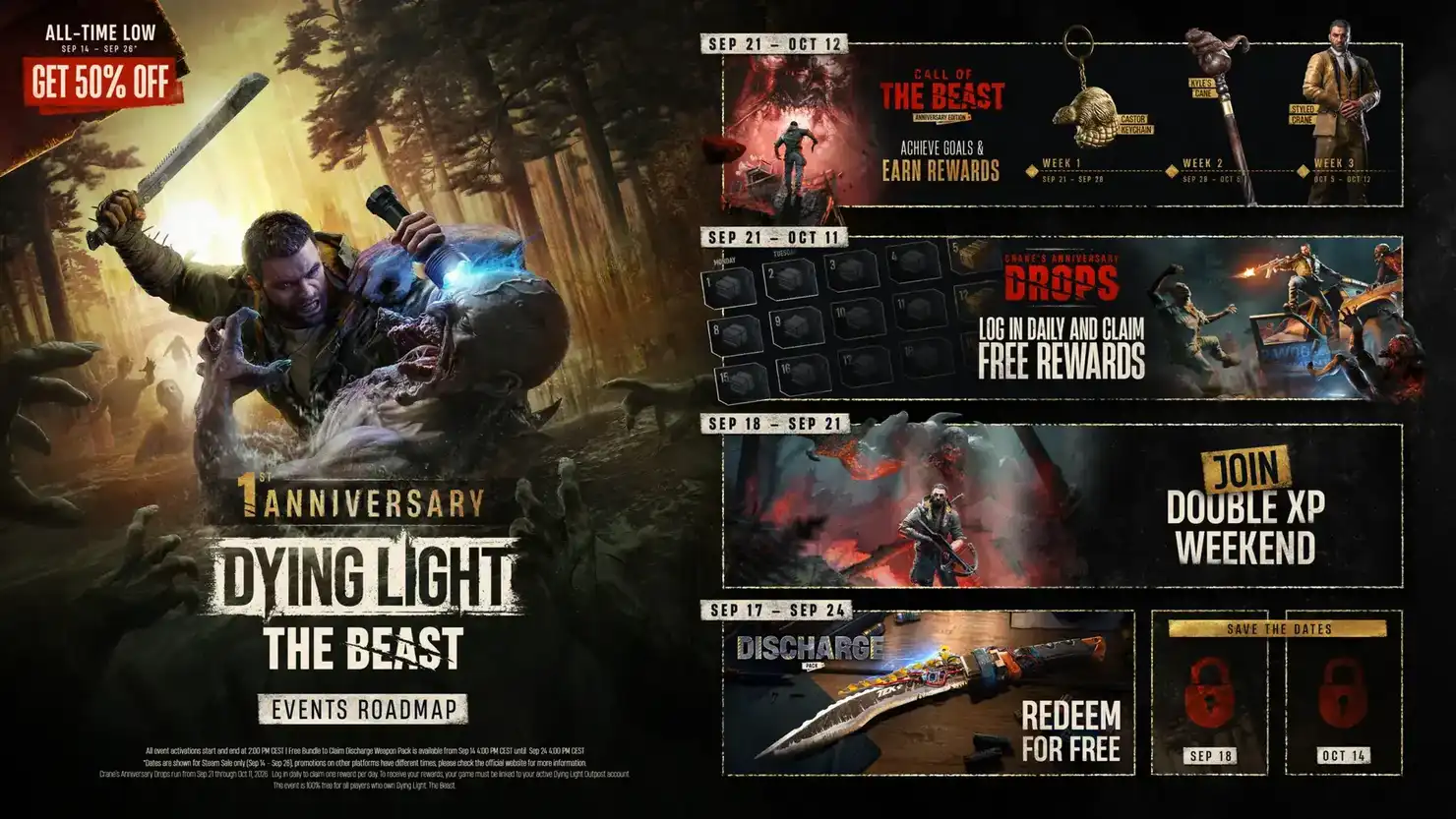
An anniversary update may change gameplay, fixes and optional event content. The most accurate change list is the one attached to the version currently installed on your PC.
Before updating
Check available disk space, keep cloud saves synchronized and back up local saves if the game supports it. Avoid interrupting a patch in progress.
After updating
Launch the game once with the default settings if possible, verify that saves load correctly, and check whether controller bindings and display settings were retained.
Troubleshooting
If the game fails to start, verify installed files through the authorized PC client before considering driver changes or complete reinstalls.
Reference: original dated publisher announcement